Free, open-source accounting software · Works offline
Your company’s books.
On your computer,
the way you know.
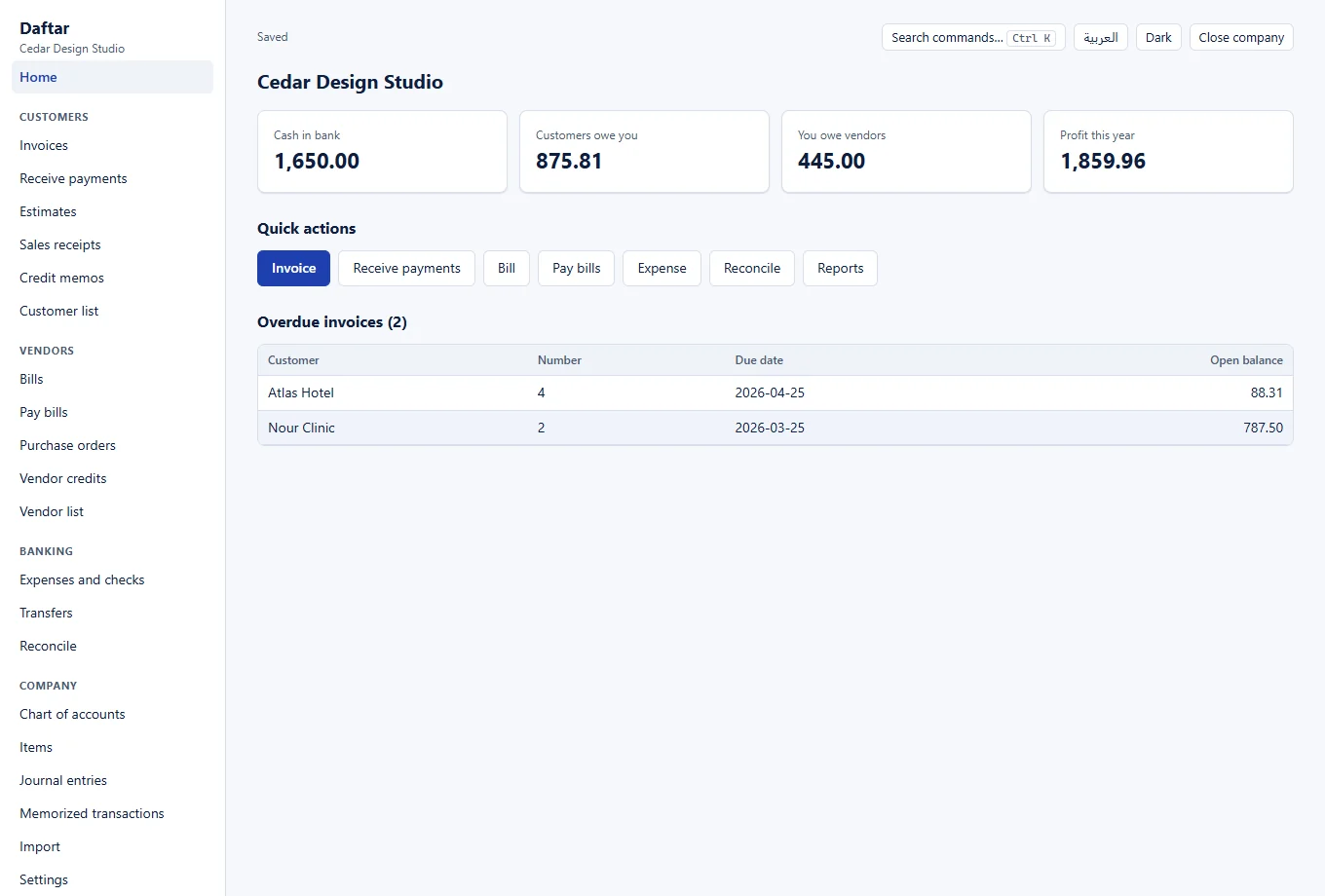
Daftar is accounting software for small businesses that follows QuickBooks Desktop’s workflows: invoices and bills, payments applied to invoices, bank reconciliation and the standard reports. Free, with no account or subscription, and your data stays on your computer.
No sign-up. Start with the sample company or create your own. · Windows 10 and 11 · 113 MB · Code on GitHub
01 / What it does
The whole accounting cycle,
in one program.
From estimate to report, in the steps bookkeepers and business owners already know.
Sales and receivables
Estimates, invoices, sales receipts and credit memos; one payment across several invoices, with partial payments and overpayments.
Purchases and payables
Purchase orders, bills, vendor credits and bill payments, plus expenses, checks and transfers.
Banking and reconciliation
Reconcile bank and card accounts against a statement, undo the last reconciliation, and keep a report of each one.
Reports
Profit and loss, balance sheet, cash flow, trial balance, general ledger, and A/R and A/P aging.
Small businesses and bookkeepers who prefer a program on their own computers, and QuickBooks Desktop users looking for an alternative without a subscription. Arabic and English, with three-decimal currencies such as the dinar.
02 / How it is checked
Numbers you can trust.
In accounting software a wrong number is worse than a missing feature, so Daftar is built around verification.
Amounts are whole numbers
Every amount is stored in the currency’s smallest unit, so no decimal drift appears. Rounding happens in one place only: quantity × rate.
Every entry balances and is kept
An unbalanced entry is refused, and a posted entry is never edited or deleted; it is corrected by reversal or void, and closed periods stay closed.
Independent checks at every stage
Books computed by hand that every report must match, random companies tested automatically, and a review that tries to break the numbers after each development stage.
Choose how to use it.
The same program either way. The difference is where your data is kept.
In your browser
Opens at once and works offline after the first visit. Data is kept in your browser, so download a backup from Settings regularly.
On your computer
A Windows program that keeps your data in its own files on your computer. Windows may show a warning on first run because the installer is not signed yet.
Moving from QuickBooks
Export your lists from QuickBooks Desktop as IIF and your opening balances from three CSV reports, then import them from the Import screen.
Inventory, VAT, multiple currencies, payroll, several users on one company, and PDF invoices. Daftar is early; try it on a copy of your data before relying on it.
03 / FAQ
Before you start.
Is it really free?
Yes. No account, no subscription and no ads in the program.
Is the code available?
Yes. The code is on GitHub under the Apache 2.0 licence, for anyone to inspect, use and contribute to.
Where is my data kept?
Only on your computer: in your browser when you use it from this site, or in the program’s files when you download it. Your data is never sent to a server, and you can download a backup file at any time.
Does it work offline?
Yes. The Windows program always works offline, and the browser version works offline after it has been opened once.
Can I move my data from QuickBooks?
QuickBooks Desktop exports lists to IIF, not transactions. Bring your lists with an IIF file, and your opening balances from the Trial Balance, Open Invoices and Unpaid Bills reports as CSV.
Why does Windows show a warning when installing?
Because the installer is not signed with a certificate yet. You can continue with “More info” and then “Run anyway”, or use the browser version with no installation.
Is Daftar connected to QuickBooks?
No. Daftar is an independent project, not affiliated with or endorsed by Intuit. QuickBooks is named only to describe compatibility and is a trademark of Intuit Inc.
04 / Project request
Need a system built for your company?
If your business needs integrations with other systems, custom reports or a different workflow, describe what you need and I will reply to the email you provide.
Submitting a request does not start work or commit you to payment. Work begins after agreement.